No, this ain’t a post about getting drunk.

As many of you know, I have long desired to make it easier for y’all to share pictures, X/Twitter posts, YouTube videos, etc. in the comments (even, yuk, Facebook if you’re so inclined).
I think I finally have it sorted out. I’ve tested YouTube, X and an image and they all appeared in the comment I posted.
Rules of thumb:
FTMF FU ain't jacksquatLINK
- ANY link should be pasted on a line by itself. As shown above
- To post an image, copy the link from any online image. Make sure that the text from your link ends with .jpg, .jpeg, .gif, .png, .bmp, .webp, etc. If there’s anything other than that at the end of the link, it will not show. Delete any extra characters until the link ends with one of those file types listed. Uploading images from your computer or phone won’t work.
- X/Twitter is easier, just get the link from the Xpost and paste it on a line by itself.
- Same for YouTube, paste the link to a line by itself.
I will post some example comments, feel free to test out in the Comments and get a feel for it. I think I have it pretty much back to how it used to work for us. Fingers crossed X…
X / Twitter
Image:
YouTube
Facebook
https://www.facebook.com/share/19FxLoTGF5/?mibextid=wwXIfr
Maybe not Facebook. No biggie.
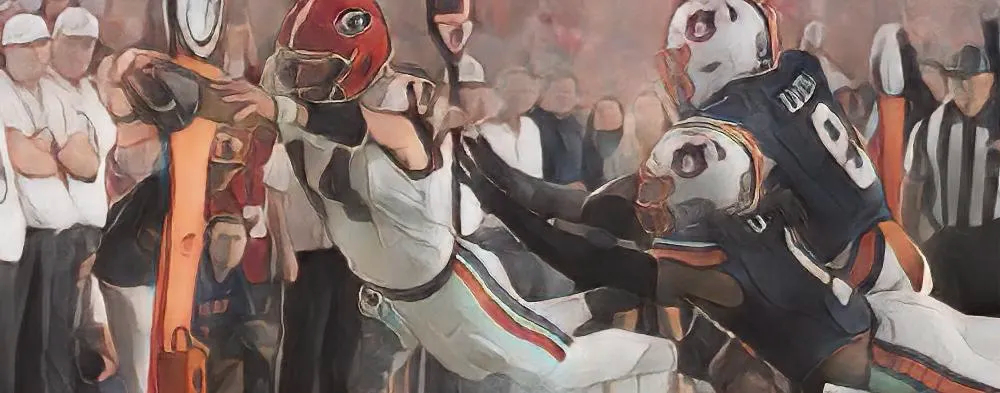
Oh snap – goal line stalker test
Boom!
I like how Florida’s #51 is pointed in the wrong direction and blocking his own guy. I guess Hugh Nall redirected him?
#17 in your program, #1 in your bulldog heart, and put the fear of JC in ever opponents soul.
to quote Coach Smart with a visor gyrating wildly – “boom muthafucka”
Double BOOM!
Them Dawgs Is Hell, Don’t They!
Yassuh. Bout time to unleash Them Dawgs!!
🏈🔥
Gotta have lot of help with this. We will see. I have a lot of images, but l could be beyond help! Oh, agree with comment earlier. Everybody should know SASE. Just know we will always be here to help the Pups!! Them Dawgs is Hell ain’t they!!
You can’t post images that are on your computer. They have to be on a website somewhere and you post a link to it.
If you see a picture on the internet, right click on the picture and copy the link to it. As long as the link ends in the bits Otis showed above, it should show up here.
https://tenor.com/view/bill-hicks-mic-tap-mic-test-gif
Sadly I still fail…lol
That link is separated with dashes, that’s not a valid link, it should have periods and slashes as separators, not dashes.
Weeeeeeeeeeeee!
.
Wow obviously I still suck at this…..
I pulled the link from your post: https://tenor.com/view/kirbysmart-popcorn-football-gif-13033811
That links to the GIF page. On the GIF page right-click the GIF image itself and copy the image address.
I right-clicked on the GIF itself and copied the image address directly from the GIF. Does it work?

There we go.
Ctrl+D’ing these instructions….
https://twitter.com/walkerp111/status/1964749790283219253/photo/1
I don’t think you can link directly to images on X. None of the links I tested, by pulling the link straight from an image, gave me a valid link. You’re stuck with linking just the post itself.
Just trying again
Got it!